
Elastic MCP Server: Connect Claude and AI Agents to Elasticsearch
Introduction
Most Elasticsearch investigations still involve moving between Kibana dashboards, Discover, ES|QL queries, logs, metrics, and other tools.
The Model Context Protocol (MCP) offers another way to work.
Elastic's Agent Builder includes an MCP server that lets external AI clients such as Claude and Cursor use authorized Elastic tools. Instead of copying logs into an AI chat, an MCP-enabled assistant can request information from the Elastic environment as the conversation develops.
There is one important detail for 2026: Elastic now recommends the Agent Builder MCP endpoint for Elasticsearch 9.2+ and Elasticsearch Serverless. The older standalone Elasticsearch MCP server has been deprecated.
What Is the Elastic MCP Server?
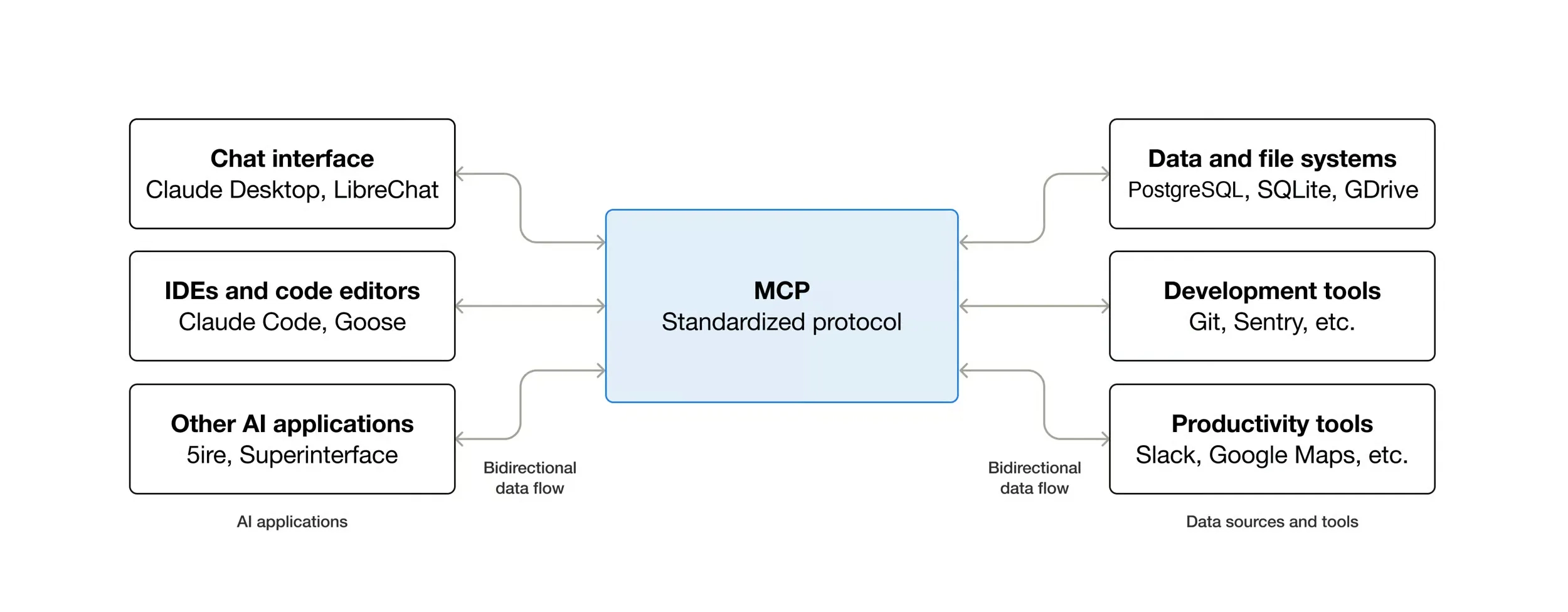
The Elastic Agent Builder MCP server is an endpoint that exposes Agent Builder tools to compatible MCP clients.
These clients can include:
- Claude Desktop
- Claude Code
- Cursor
- other MCP-compatible applications
The AI client does not simply receive unrestricted access to Elasticsearch.
A modern setup looks more like this:
Claude / Cursor↓MCP↓Elastic Agent Builder↓Approved Tools↓Elasticsearch / Kibana
For a standard Kibana environment, the MCP endpoint follows this pattern:
https://YOUR-KIBANA-HOST/api/agent_builder/mcp
For a custom Kibana Space:
https://YOUR-KIBANA-HOST/s/YOUR-SPACE/api/agent_builder/mcp
What Claude can see or do depends on the tools and permissions available through that connection.
Agent Builder MCP vs the Old Elasticsearch MCP Server
This distinction matters because many older tutorials still describe the original mcp-server-elasticsearch project.
Elastic Agent Builder MCP
This is the current approach for:
- Elasticsearch 9.2+
- Elasticsearch Serverless
It exposes Agent Builder's built-in and custom tools to external MCP clients.
Standalone Elasticsearch MCP Server
Elastic's earlier MCP server provided tools for tasks such as listing indices, reading mappings, searching Elasticsearch, inspecting shards, and running ES|QL.
That project is now deprecated. Elastic says it will only receive critical security updates.
For a new Elasticsearch 9.2+ implementation, Agent Builder is therefore the sensible starting point.
What Can Claude Do With Elastic MCP?
The useful answer is: whatever your approved Agent Builder tools and Elastic permissions allow.
For example, an operations engineer could ask:
Show HTTP 500 errors from the last hour grouped by service.
Or:
Which services had the largest increase in latency after the latest deployment?
Claude can use the relevant Elastic tool to retrieve information rather than requiring the engineer to manually copy query results into the conversation.
Potential workflows include:
- running ES|QL queries;
- investigating logs;
- comparing metrics;
- analyzing operational data;
- exploring Elasticsearch content;
- investigating security events;
- and calling custom Agent Builder tools.
Teams can also build narrowly scoped tools such as Find production errors, Check service latency, or Retrieve authentication failures.
That is generally safer than giving an AI system unnecessarily broad access.
How to Connect Claude to Elastic Agent Builder MCP
Connecting Claude requires three basic pieces:
- the Agent Builder MCP endpoint;
- authentication;
- appropriate Elastic permissions.
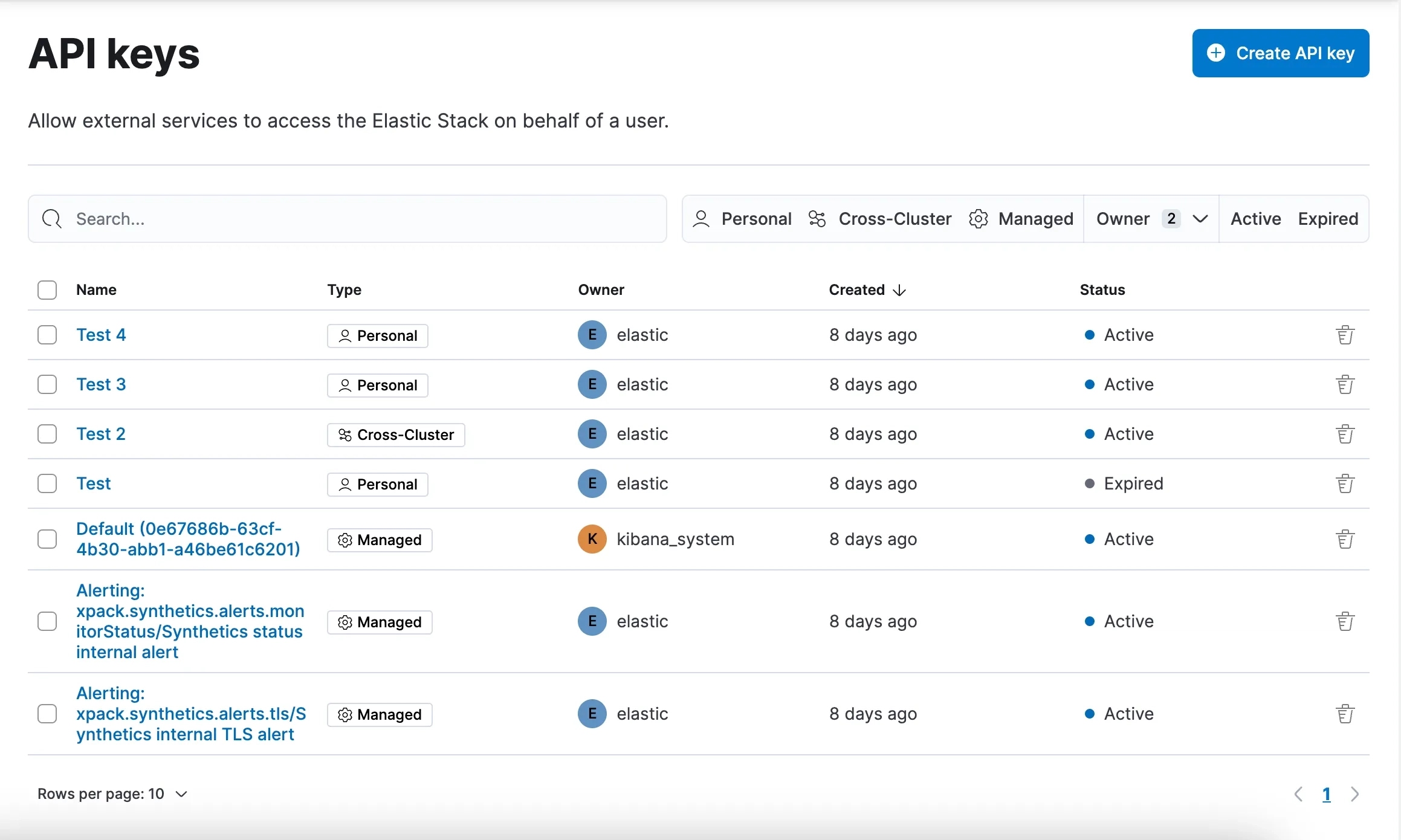
Elastic supports API-key authentication for Elastic Stack and Serverless deployments. OAuth 2.1 is also available for supported Serverless MCP connections.
Connect With an API Key
Create an Elastic API key containing only the privileges Claude needs.
For an observability use case, for example, access might be limited to relevant data such as:
- logs-*
- metrics-*
- traces-*
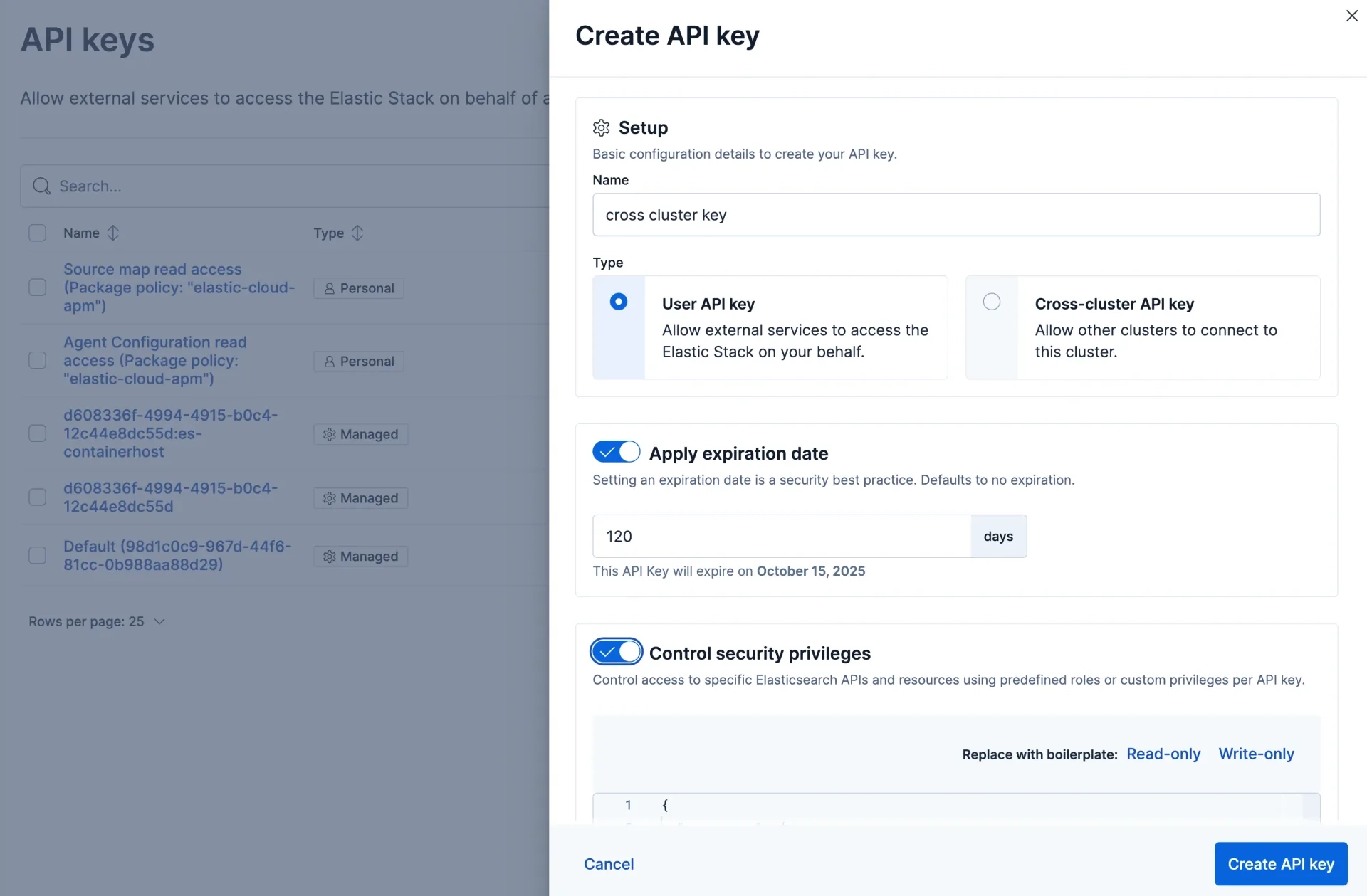
A Claude Desktop configuration can use mcp-remote to reach the Agent Builder endpoint:
{"mcpServers": {"elastic-agent-builder": {"command": "npx","args": ["mcp-remote","https://YOUR-KIBANA-HOST/api/agent_builder/mcp","--header","Authorization:${AUTH_HEADER}"],"env": {"AUTH_HEADER": "ApiKey YOUR_API_KEY"}}}}
Replace the example endpoint and credential with values from your environment.
Production API keys should be restricted, given appropriate expiration periods, and kept out of source control.
Connect With OAuth 2.1
OAuth provides a better identity model when multiple people need access.
Instead of everyone using the same API key, each user can authorize the MCP connection under their own identity and permissions.
The flow becomes:
User↓Claude↓OAuth↓Agent Builder MCP↓Authorized Elastic Tools
This can be particularly useful for organizations rolling out MCP access across teams of developers, analysts, or SREs.
How to Connect an MCP in the Agent Builder UI
There is another side to Elastic's MCP support.
Agent Builder can also connect to an external MCP server.
This is the opposite direction from connecting Claude to Elastic:
Claude → Agent Builder MCP → Elasticversus:Agent Builder → External MCP Server → External Tools
To add an MCP connection in Agent Builder:
- Open Kibana → Agent Builder.
- Go to Tools.
- Add an MCP tool or connection.
- Enter the remote MCP server URL.
- Configure the required authentication.
- Connect to the server.
- Review the tools it exposes.
- Make the required tools available to your agent.
- Test them before production use.
This allows an Elastic agent to combine Elasticsearch data with tools from other systems.
For example, imagine Elasticsearch shows that checkout latency increased at 10:15.
An external MCP tool could provide deployment information. The agent could then investigate both:
Elastic Agent Builder↓┌─────────────┬──────────────┐│ Elastic │ External MCP ││ │ ││ Logs │ Deployments ││ Metrics │ Incidents ││ Traces │ Other tools │└─────────────┴──────────────┘↓Agent analysis
An engineer could ask:
Why did checkout latency increase after 10:00, and was there a deployment around the same time?
The agent could investigate Elastic telemetry and then use an external MCP tool to check deployment information.
That is much more powerful than simply "chatting with Elasticsearch."
Claude-to-Elastic vs Agent Builder-to-MCP
The two architectures are easy to confuse:
| Setup | MCP Client | MCP Server | Purpose |
|---|---|---|---|
| Claude → Elastic | Claude | Elastic Agent Builder | Claude uses Elastic tools |
| Elastic → External MCP | Agent Builder | External service | Elastic agent uses external tools |
They can also work together.
A larger architecture could look like:
Claude↓Agent Builder MCP↓Elastic Agent├── Elasticsearch├── ES|QL├── Custom Elastic Tools└── External MCP Tools↓External Systems
The result is an agent that can reason over Elasticsearch data while using approved capabilities from other enterprise systems.
Elastic MCP Apps
Elastic has taken MCP beyond basic tool calls with MCP Apps for Search, Observability, and Security.
These can return interactive experiences rather than only text.
Search
Search MCP workflows can help users query data with ES|QL and work with dashboards and visualizations.
Observability
Observability workflows can bring operational information such as metrics and infrastructure relationships into an AI-assisted investigation.
Security
Security MCP workflows can support areas such as alert triage, threat hunting, Attack Discovery, cases, and detection workflows.
The broader direction is clear: MCP is becoming an interface for Elastic workflows, not simply a way to send Elasticsearch queries from a chatbot.
Security: Keep MCP Access Narrow
Connecting Claude to Elastic does not mean giving Claude an Elasticsearch administrator password.
A safer architecture is:
Claude↓Authenticated MCP↓Agent Builder↓Approved Tools↓Restricted Data
Use least privilege.
If an agent only needs to inspect logs, do not give it permission to modify indices.
The same rule applies when connecting external MCP servers inside Agent Builder. Review the tools exposed by the server before allowing an agent to use them.
There is a major difference between tools such as:
- check_build_status
- list_incidents
and:
- restart_service
- delete_record
Start with read-only workflows. Add actions only when there is a genuine operational reason.
Practical Elastic MCP Use Cases
Incident Investigation
Ask:
Compare application errors from the last 30 minutes with the previous 30 minutes.
The agent can gather relevant Elastic data and continue investigating from the result.
SRE Troubleshooting
Ask:
Which services are contributing most to P95 latency, and do they also show increased errors?
This combines conversational reasoning with operational telemetry.
Security Triage
Security teams can use MCP-enabled workflows around alerts, investigations, cases, and threat hunting.
Elasticsearch Exploration
An engineer working with an unfamiliar Elastic environment can use approved tools to understand available data and investigate it without manually navigating every index.
Internal AI Assistants
Organizations can create custom Agent Builder tools around their own workflows.
For example:
Check whether checkout latency is outside our normal production range.
Behind that instruction could be an approved ES|QL query with carefully restricted access.
What About Older Elasticsearch Versions?
The standalone Elasticsearch MCP server still exists for environments where Agent Builder is unavailable.
However, Elastic has deprecated the standalone project in favor of Agent Builder MCP.
For new Elasticsearch 9.2+ or Serverless implementations, building around the deprecated server usually makes little sense unless a specific compatibility requirement forces it.
Where Qavi Technologies Fits
Setting up an MCP endpoint is relatively easy. Designing the Elastic environment behind it is the harder part.
Qavi Technologies is an official Elastic Partner working across Elasticsearch architecture, Elastic Stack implementation, Kibana, Elastic Observability, migrations, security, and AI-powered search.
For an enterprise MCP implementation, that work can include:
- defining Elasticsearch access boundaries;
- designing Agent Builder tools;
- building ES|QL workflows;
- improving index architecture;
- configuring observability data;
- tuning Elasticsearch performance;
- implementing vector and semantic search;
- and securing AI-accessible data.
The goal should not be to give an AI agent access to everything.
It should be to expose the right Elastic data and the right tools for a clearly defined task.
Frequently Asked Questions
What is the Elastic MCP server?
The Elastic Agent Builder MCP server lets external MCP clients such as Claude and Cursor use tools exposed through Elastic Agent Builder.
Can Claude connect to Elasticsearch through MCP?
Yes. Claude can use the Agent Builder MCP endpoint to interact with authorized Elastic tools. Its access remains limited by the authentication, permissions, and tools configured in Elastic.
How do I connect an MCP server in Elastic Agent Builder?
Open Kibana → Agent Builder → Tools, add an MCP connection, provide the remote MCP server URL and authentication, review the discovered tools, and make the required tools available to the agent.
What is the difference between Agent Builder MCP and an external MCP connection?
Agent Builder's MCP server lets external applications such as Claude use Elastic tools. An external MCP connection lets an Elastic agent use tools from another MCP server.
Does Elastic MCP work with Cursor?
Yes. Cursor is one of the MCP-compatible clients that can work with Elastic's MCP capabilities when correctly configured.
Is the old Elasticsearch MCP server still recommended?
No. Elastic has deprecated the standalone Elasticsearch MCP server in favor of the Agent Builder MCP endpoint for current Elasticsearch environments.
Is Elastic MCP only for Elastic Cloud?
No. API-key-based Agent Builder MCP connections can be used with supported Elastic Stack deployments as well as Serverless. Authentication options differ by deployment.
Can an MCP agent access every Elasticsearch index?
Only if you give it that level of permission. Production deployments should restrict access to the specific indices and capabilities required for the workflow.
MCP Makes Elastic an Agent-Accessible Platform
The important change is not that Claude can answer questions about Elasticsearch.
It is that an AI client can request information and invoke authorized Elastic tools while an investigation is happening.
Agent Builder extends the idea further by connecting Elastic agents to external MCP tools.
That creates a useful architecture:
AI interface + Agent Builder + Elasticsearch data + controlled external tools.
For organizations already using Elasticsearch for search, logs, metrics, traces, security events, or vector data, MCP can reduce the distance between asking a question and investigating the actual evidence.
The difficult part is no longer making the connection.
It is deciding what the agent should be allowed to see, which tools it should be allowed to call, and where human control should remain.

More Blogs
Discover the latest insights and trends in technology with the Qavi Tech Blog. Stay updated with expert articles, industry news, and innovative ideas.
Planning an Elastic Deployment? Get the Official Checklist (Free PDF)
Reduce risks, improve performance, accelerate go-live.