

Managing Cluster Monitoring: A Guide to Enable And Disable ELK Monitoring in Elastic Cloud for Elasticsearch

In Elastic Cloud, monitoring your deployments is crucial for maintaining optimal performance and identifying potential issues. However, there may be situations where you need to disable monitoring temporarily or permanently. In this guide, we’ll walk you through the steps to disable cluster monitoring in Elastic Cloud.
Disabling Cluster Monitoring and Logs in Elastic Cloud
Access Elastic Cloud
To begin, navigate to the Elastic Cloud login page using your credentials. Once logged in, you’ll land on the homepage.
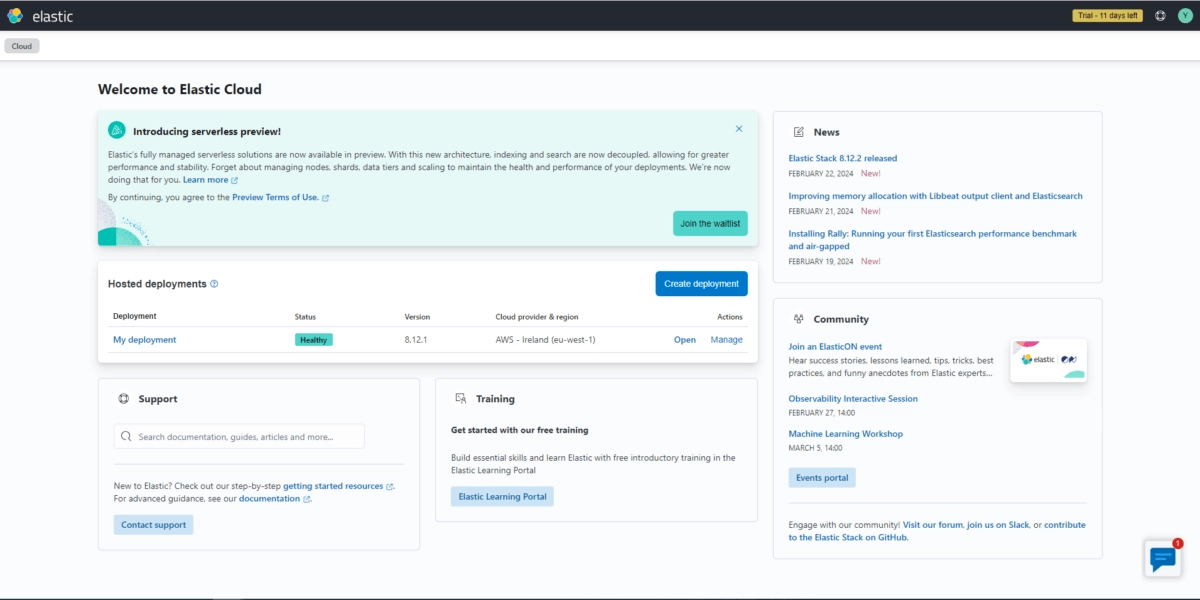
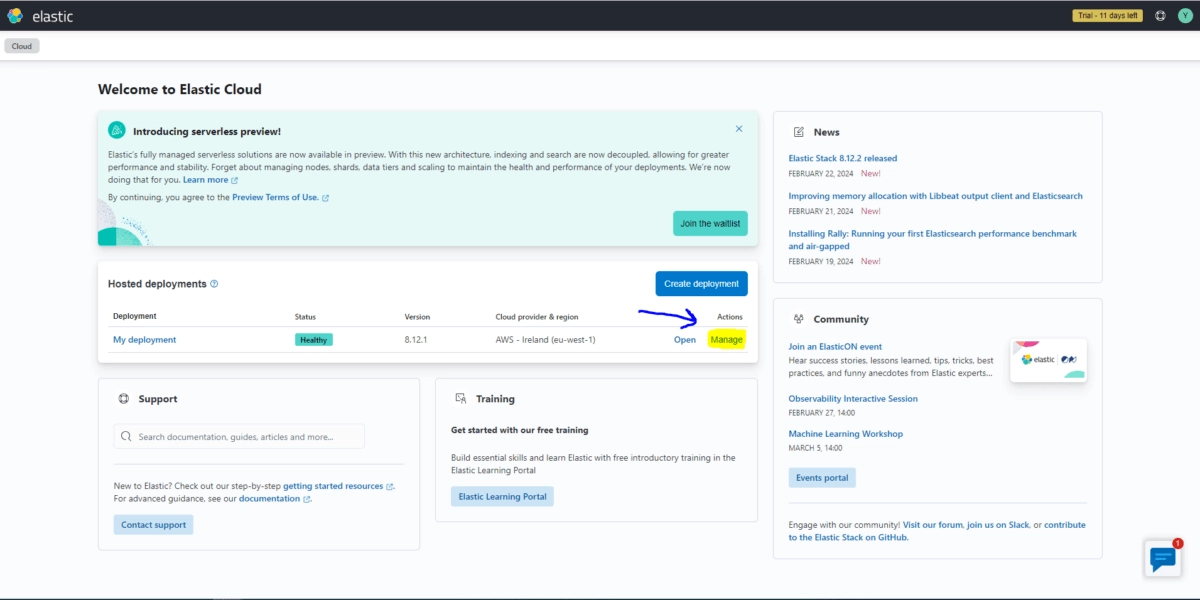
Select Deployment to Manage
In the “Hosted deployments” section. you’ll find a list of your deployments. Choose the deployment you wish to work on and click on the “Manage” button associated with it.
Navigate to Monitoring Settings
Within the management interface, locate the “Monitoring” tab. Under this tab, you’ll find options for configuring logs and metrics monitoring.
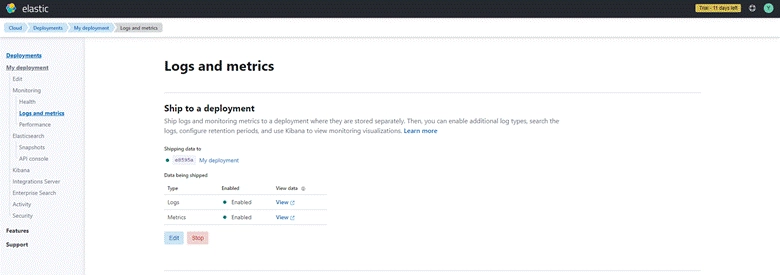
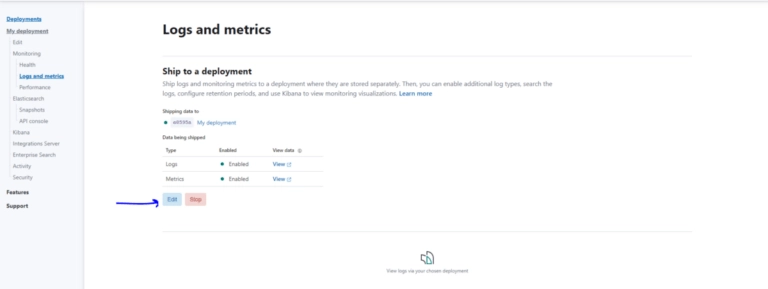
Enable & Disable Logs and Metrics Monitoring
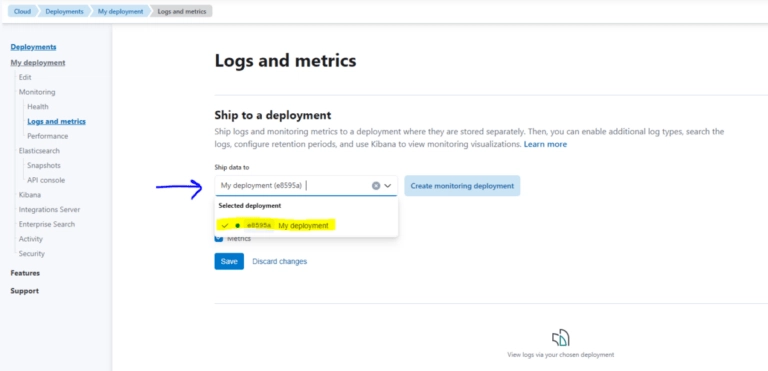
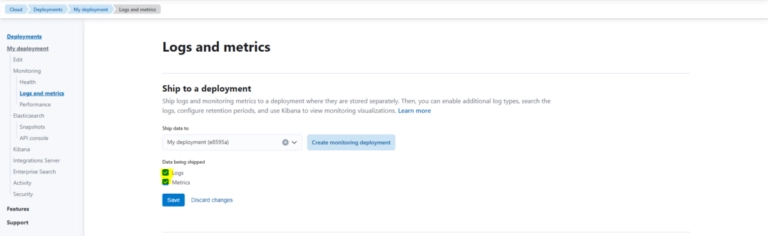
To disable monitoring, you’ll need to access the settings for logs and metrics. Click on the “Edit” option, which allows you to modify monitoring configurations. Uncheck the boxes next to “Logs” and “Metrics” to disable both forms of monitoring according to your requirements.
To enable monitoring, you’ll need to access the settings for logs and metrics. Click on the “Edit” option, which allows you to modify monitoring configurations. check the boxes next to “Logs” and “Metrics” to enable both forms of monitoring if desired.
Verify Monitoring Status
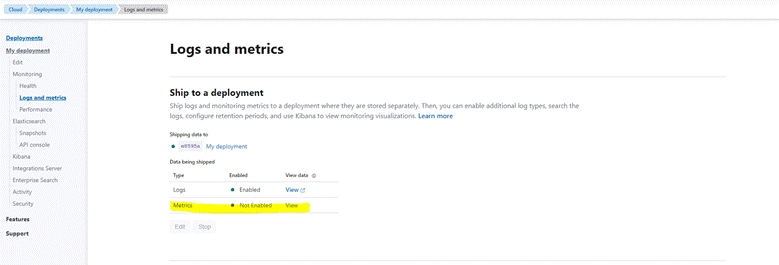
To confirm that monitoring has been disabled, check for the “Enable” option under the monitoring settings. If it’s displayed, it indicates that logs and metrics monitoring are currently turned off.
Conclusion
Enabling & Disabling cluster monitoring in Elastic Cloud can be necessary for various reasons, such as conserving resources or troubleshooting issues. By following the steps outlined in this guide, you can easily manage your deployments and adjust monitoring settings as needed. Remember to consider the implications of disabling monitoring and re-enable it when necessary to ensure the health and performance of your Elastic Cloud environment.
If you want any help regarding disabling monitoring in Elastic Cloud for Elasticsearch, feel free to contact us

More Blogs
Discover the latest insights and trends in technology with the Qavi Tech Blog. Stay updated with expert articles, industry news, and innovative ideas.

Planning an Elastic Deployment? Get the Official Checklist (Free PDF)
Reduce risks, improve performance, accelerate go-live.